科学の箱

科学・IT・登山の話題

Python

SIGNATE お弁当の需要予測-4

投稿日:2018年5月17日 更新日:

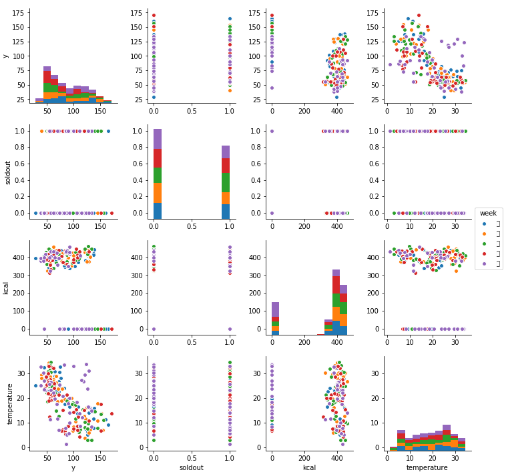
今回はSeabornのpairplotを利用して相関の概要を見てみる。ただし相関を見るためにはデータのクレンジングが必要。

まずはnullデータのヒートマップを確認してみる。


sns.heatmap(d_train.isnull(),yticklabels=False,cbar=False,cmap='viridis')

次にデータのクレンジング


d_train_w=d_train.fillna({'kcal':0})
d_train_w = d_train_w.drop('event', axis=1)
d_train_w = d_train_w.drop('remarks', axis=1)
d_train_w = d_train_w.drop('precipitation', axis=1)
d_train_w = d_train_w.drop('name', axis=1)
d_train_w = d_train_w.drop('payday', axis=1)

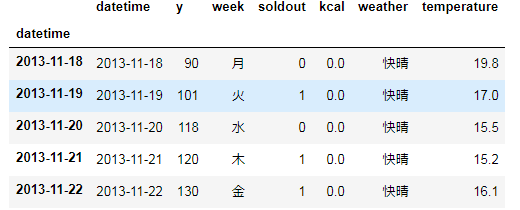
データのフォーマット確認


d_train_w.head()
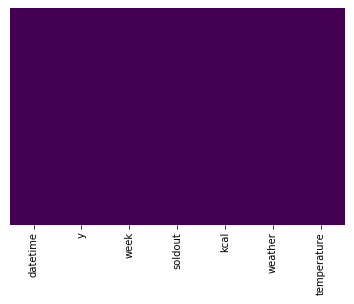
もう一度ヒートマップで確認


sns.heatmap(d_train_w.isnull(),yticklabels=False,cbar=False,cmap='viridis')
ペアプロット作成

sns.pairplot(d_train_w)
sns.pairplot(d_train_w, hue='weather')


メタ情報

inarticle


メタ情報

inarticle


-Python
-,

執筆者:


comment

メールアドレスが公開されることはありません。 * が付いている欄は必須項目です

関連記事

no image

Anaconda Jupyterで自動補完を使う手順

まずはnbexensionsをインストール。これは拡張モジュールを管理する機能。 conda install -y -c conda-forge jupyter_contrib_nbextension …

no image

seleniumでWebElement object is not iterableが出るときの対処方法

iterableなオブジェクトを想定して要素を取得、forループに取り込むと下記のようなWebElement object is not iterableが出る。 結論としては勘違い。 Seleniu …

no image

automated the boring – day8

https://automatetheboringstuff.com/chapter15/ さてプログラムを実行しているときに案外出てくる要件が時間計測。 例えばアルゴリズム間でパフォーマンスを比較す …

no image

kaggle Titanic Tutorial – 4

名前から取得できるタイトルを分析に利用してみる。 タイトルは末尾に”.”がついているのでこれを利用して切り出す。 def get_title(name): if ‘.’ in …

no image

グラフの軸を操作する

概要 ここでは以下の項目について取り扱う 軸にラベルを設定する ー xlabel, ylabel 軸の最小値、最大値を設定する ー xlim, ylim, xaxis 軸にメモリを設定する ー xti …

2018年5月
« 4月   6月 »
 123456
78910111213
14151617181920
21222324252627
28293031  

side bar top


アーカイブ

カテゴリー